UrbanPlanning.app Urban Planning Software Review
UrbanPlanning.app is a web workspace for planning consultants, permit expeditors and municipal planning teams, with four plans from $49 to $599 a month. Its plan-check tracker, client portal and QuickBooks sync are listed from the $299 Department plan.
Our verdict
A narrowly aimed project workspace for planning teams that track permits, agency submittals and client updates in spreadsheets. Public prices, stated plan limits, a documented help center and a card-free sign-up make it easy to try. Look elsewhere if you need independent reviews or security paperwork, work outside Southern California or the US, or want the plan-check tracker and client portal on a small budget: they are listed from $299 a month.
- Best for
- A planning consultant or permit expeditor, mainly in California, who tracks agency submittals in spreadsheets and will test one real project in the trial.
- Skip if
- You need a public permit-application portal, inspections, a security report such as SOC 2, or zoning data outside Southern California.
UrbanPlanning.app is a web-based project management workspace for urban planners, planning consultants, permit expeditors and municipal planning departments. Each project gets its own workspace with tabs for files, drawings, tasks, chat, maps, forms, finances, plan checks, permits, zoning, conditions of approval and milestones. The vendor presents it as a replacement for spreadsheets, shared drives and email threads, and as a lighter option than enterprise permitting systems. Four plans run from $49 to $599 a month, and every plan starts with a 14-day trial.
What it does
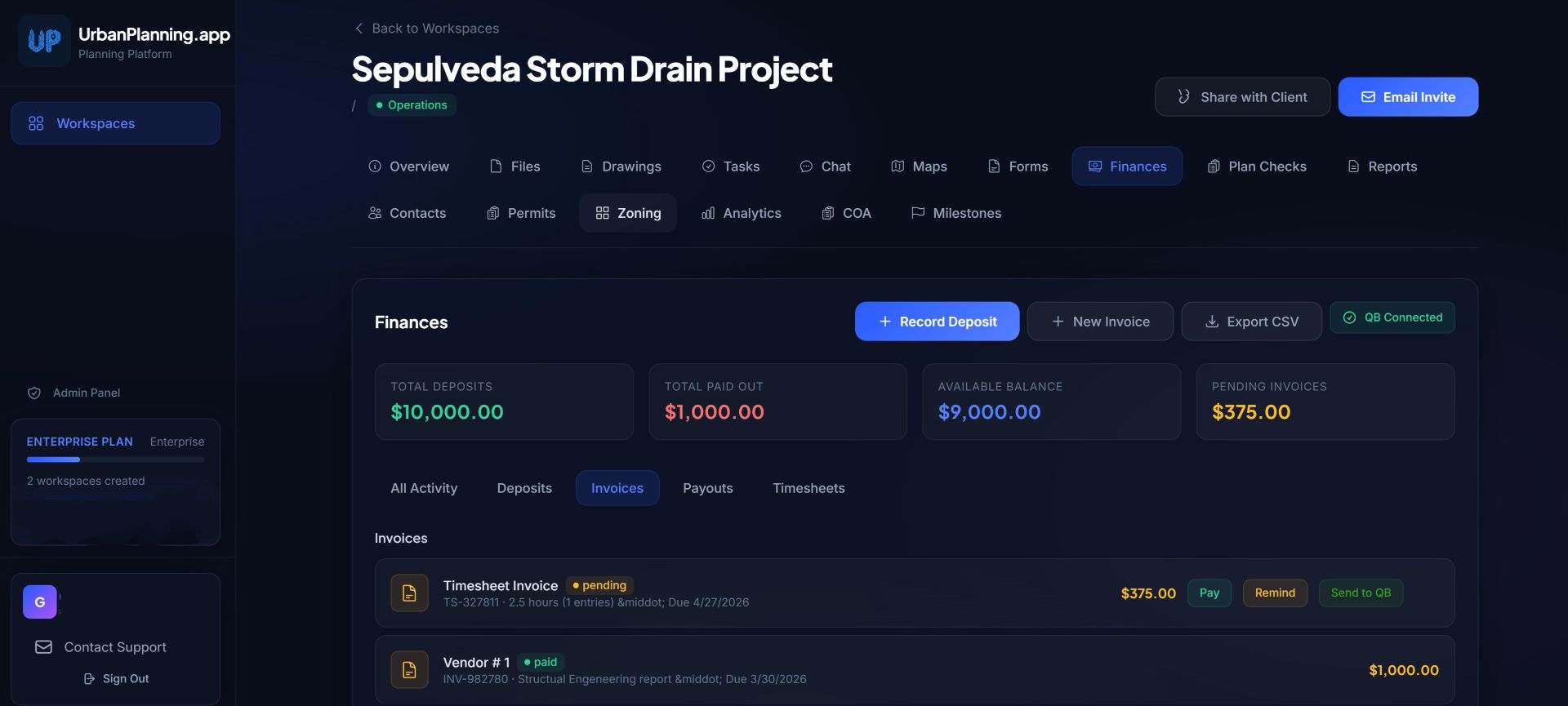
The help center lists 17 sections: Overview, Projects, Tasks, Plan Checks, Finances, Maps, Files, Drawings, Chat, Forms, Reports, Contacts, Permits, Zoning, Analytics, COA (conditions of approval) and Milestones. The plan-check tracker logs each agency submittal with a date, notes and attached files, and moves it through six statuses: Submitted, In Review, Corrections Required, Resubmitted, Approved and On Hold. Tasks move through To Do, In Progress, In Review, Complete and Blocked, and the app emails the assignee when a task is assigned, 24 hours before it is due and when it is updated.
Invoices are created inside a project; with QuickBooks Online connected they are pushed to QuickBooks and payment status syncs back. The homepage also says existing projects can be imported from a CSV file, and the vendor's screenshots show a task board, a plan-check list by agency, a finance view with invoices and an interactive map with markers, drawn shapes and layers.
Clients are invited by email to a read-only portal. According to the help center they see milestones and status, plan-check statuses, files you share, task progress without internal notes, and the drawings and maps for their project, and they can upload documents and chat with your team. Internal notes and comments marked private stay hidden, and financial details appear only if you share them. The portal is listed from the Department plan.
Plans and pricing
These are the vendor's published prices in US dollars, read on its homepage, Terms of Service and help center. The plans differ mainly in how many active projects and team members they allow and in which tools are switched on. The table gives prices and limits; the list under it shows what each plan adds to the one before.
| Plan | Monthly | Yearly | Projects | Members |
|---|---|---|---|---|
| Starter | $49 | $492 | 3 | 2 |
| Professional | $129 | $1,308 | 15 | 10 |
| Department | $299 | $2,988 | 50 | 25 |
| Enterprise | $599 | $5,988 | Unlimited | Unlimited |
- Starter: Google Drive file linking, GIS maps (street view and project pins), tasks, chat, email support.
- Professional adds: parcel data lookup, environmental review forms, distance and area measurement, drawing version tracking, priority email support.
- Department adds: plan-check tracking, satellite and topographic map layers, client portal, QuickBooks integration, phone support.
- Enterprise adds: dedicated account manager, custom onboarding and training, priority phone support, 99.9% uptime SLA, early access to new features.
Yearly billing works out to $41, $109, $249 and $499 a month, and the homepage's Annual toggle is labeled 'Save 17%' while the individual cards show 16% on Starter, 15% on Professional and 17% on Department and Enterprise. Divide the monthly price by the project cap and the cost per active project falls from $16.33 on Starter to $8.60 on Professional and $5.98 on Department (our arithmetic, with every slot used). The Terms say prices and limits may change with reasonable notice.
What each plan leaves out
The pricing cards and the help center agree on where the main features start. Plan-check tracking, the client portal and QuickBooks sync are listed from the Department plan at $299 a month, and so are the satellite and topographic map layers, so Starter and Professional get street view and project pins. Parcel data lookup, environmental review forms and drawing version tracking start on Professional. That matters because the vendor's page for permit expeditors leads with the plan-check tracker and the client portal, and its page for consultants leads with the client portal and QuickBooks invoicing, while its own cards call Professional ($129) the plan for small firms and permit expeditors and Starter ($49) the plan for solo consultants, and list none of those features on either. The homepage and help center describe the trial as full access to all features, but the Terms tie it to the features of the plan tier you select, so it is not clear what a Starter or Professional trial includes.
Where it works
The product is written around US, and mostly California, planning practice. The Privacy Policy says the zoning lookup sends an address to Esri's geocoding service and reads parcel data from the county ArcGIS services of Los Angeles, Orange, San Bernardino, Riverside and Ventura counties, plus the statewide zoning layer from California's Governor's Office of Land Use and Climate Innovation and the City of Los Angeles' ZIMAS. The help center says the zoning map layer shows designations 'where available'. The environmental review tools are built around CEQA, California's environmental review law, and NEPA, its federal counterpart. We found no mention of Canada, the UK, Australia or New Zealand on the vendor's pages, and the three homepage testimonials name Southern California, Los Angeles and the Bay Area.
Free trial, billing and cancellation
Every plan starts with a 14-day trial, and the vendor's pages leave open when a card comes in. The help center describes a trial without a card: the sign-up form asks only for a name, email, role (planner or client) and password, and after 14 days the account becomes read-only, so you can log in and view everything but not create projects, tasks or invoices, until you choose a plan and pay. You are charged immediately when you subscribe, with no second trial period. The homepage FAQ and the Terms say a card is not charged until day 15 (the Terms add that no payment is needed to start), and the page's own script sends the plan buttons in the pricing section to a Stripe checkout page. We did not complete either flow, so check what the sign-up screen or a plan button asks for, and whether subscribing early charges you at once, before entering a card.
Billing runs through Stripe, monthly or yearly. You can cancel from account settings and keep access to the end of the paid period; the account then becomes read-only and, per the help center, nothing is deleted. A downgrade takes effect at the end of the billing cycle, and you must archive projects or members above the lower plan's limits first. Monthly plans are not refundable. Annual plans can be refunded in full if you ask within 14 days of the charge, with the money returned in 5 to 10 business days.
Data, security and support
The help center lists encryption in transit (TLS) and at rest, row-level security on a Supabase and PostgreSQL database, three workspace roles (Admin, Manager and Member) and daily automated backups. The Terms say the service is hosted on Vercel and Supabase and that you keep ownership of what you upload. The Privacy Policy names Supabase, Vercel, Stripe, Resend, Intuit (when QuickBooks is connected), a website analytics provider and the Esri and government mapping services as the services that receive data, and says personal information is not sold.
Export is described two ways: the help center says you can export your data at any time, while the Terms promise a machine-readable export within 30 days of a written request. None of the pages or help articles we read mentions a SOC 2 or ISO 27001 report, a penetration test, single sign-on, a public API or a status page, and the footer's 'All systems operational' label is not linked to one, so a department with formal procurement rules should ask for those items in writing.
Support depends on the plan: email with a reply within 48 hours on Starter, priority email within 24 hours on Professional, phone and email within a few hours on Department, and a dedicated account manager on Enterprise. The 99.9% uptime figure is part of the Enterprise plan, and the Terms call it a commercially reasonable target and not an absolute guarantee. There is no native mobile app and no offline mode; the site is responsive and works in a phone's browser.
How it compares
The vendor compares itself with three alternatives. Against spreadsheets it points to live project status, a client portal, a per-agency plan-check tracker, files attached to projects and an audit trail. Against general project tools such as Asana, Monday and Trello, its help center says they do not come with plan-check tracking, GIS maps or planning terminology. Against legacy permitting systems such as Accela, its comparison table says setup takes under an hour instead of months, prices are published in monthly tiers instead of enterprise contracts and the client portal is built in; the same page says the table is based on public information and that UrbanPlanning.app is not affiliated with Accela. These are the vendor's own comparisons and we did not verify them.
From the pages we read, the product sits between a spreadsheet and a public permitting system: a project workspace that uses planning vocabulary. The pages describe custom intake forms and a portal for invited applicants, but not a public portal where residents apply for permits, inspection scheduling or fee schedules, so a department that needs those should ask about them before relying on it as a replacement for a permitting platform.
Before you buy
UrbanPlanning.app is operated by Do You Need One, LLC according to its Terms of Service and Privacy Policy, both dated September 17, 2026, and California law governs the Terms. The domain was registered on April 29, 2026, so this is a young product. The About page says it was built by a developer after talking with a planner and that the team is small; the pages we read show no founder's name, address or phone number, only a support email and a contact form. The homepage says it is trusted by planning professionals across the country and quotes three unnamed users, a senior planner, a planning consultant and a permit expeditor; we could not verify them. A web search on October 21, 2026 found no review on G2, Capterra, Product Hunt or Reddit. Everything above is what the vendor says it does: we read its pages, help center and legal documents on that date and did not use the product, so the 14-day trial is the practical check, ideally on one real project with your own agency submittals.
What we liked
- Prices and limits are published for all four plans: $49 to $599 a month, with project and team-member caps stated for each
- Built around planning terms: six plan-check statuses, conditions of approval, permits, milestones and CEQA/NEPA review forms
- The help center has 32 short articles covering plan limits, trial and cancellation steps, QuickBooks setup and the client portal
- A card-free path exists: the sign-up form asks only for name, email, role and password, and the help center says no card is needed
- Month-to-month billing, cancellation from account settings, and a 14-day full refund window on annual plans
- The Terms and help center say you own what you upload, and the Privacy Policy sets deletion within 30 days of closing an account
Worth noting
- Plan-check tracking, the client portal and QuickBooks sync, three features the vendor highlights, are listed from the $299 Department plan
- A young product: the domain was registered on April 29, 2026, and no independent review turned up
- Zoning and parcel lookups are documented for five Southern California counties, California's statewide layer and Los Angeles only
- The vendor's pages differ on when a card is charged during the trial, and its llms.txt file lists different prices ($49 to $199)
- Monthly plans are not refundable, and the 99.9% uptime SLA is listed only for Enterprise (the Terms call it a target)
- No SOC 2 or ISO 27001 report, public API, single sign-on or status page is mentioned in the pages and help center we read
Questions before you buy
How much does UrbanPlanning.app cost?
Monthly prices are $49 (Starter), $129 (Professional), $299 (Department) and $599 (Enterprise). Yearly billing is $492, $1,308, $2,988 and $5,988, which the homepage shows as $41, $109, $249 and $499 a month. The Terms say prices and limits may change with reasonable notice, so confirm them in the pricing section before you subscribe.
Is there a free trial, and does it need a credit card?
Every plan has a 14-day trial. The help center and the sign-up form describe a trial with no card: after 14 days the account turns read-only until you pay, and subscribing charges you immediately. The homepage FAQ and the Terms say a card is not charged until day 15. Because the pages differ, check what the sign-up screen or a plan button asks for, and whether subscribing early charges you at once, before you enter a card.
Which plan includes plan-check tracking and the client portal?
The pricing cards and the help center list plan-check tracking, the client portal and QuickBooks sync from the Department plan ($299 a month). Professional adds parcel data lookup, environmental review forms and drawing version tracking to Starter's projects, maps, tasks and chat. The Terms tie the trial to the selected plan tier, so ask what a Starter or Professional trial shows.
Does it work outside California or the United States?
The vendor's pages describe US planning practice: CEQA and NEPA review checklists, and zoning and parcel data for five Southern California counties, California's statewide zoning layer and the City of Los Angeles. We found no mention of Canada, the UK, Australia or New Zealand, so a team outside the US should confirm local fit before paying.
Can I cancel or get a refund?
You can cancel from account settings and keep access to the end of the paid period; the account then becomes read-only and the help center says nothing is deleted. Monthly plans are not refundable. Annual plans are refundable in full if you email support within 14 days of the charge, with the money returned in 5 to 10 business days.
Does it connect to QuickBooks?
Yes, on the Department and Enterprise plans. The help center says any QuickBooks Online tier works and that a workspace Admin makes the connection. Invoices created in UrbanPlanning.app are pushed to QuickBooks, payment status syncs back and client records stay aligned.
Is there a mobile app?
No native iOS or Android app and no offline mode. The site is responsive and works in the browsers on a phone or tablet, which the help center suggests for field updates such as checking status or uploading photos.
Who owns my data, and can I export it?
The Terms say you keep ownership of what you upload, and the help center and Privacy Policy say the vendor does not sell your data. Export is described two ways: any time (help center) or a machine-readable file within 30 days of a written request (Terms). After you delete an account, the Privacy Policy says personal data is deleted or anonymized within 30 days, with legal exceptions.
Sources & verification
What this review is based on and the day we last read it. Specs and claims from the maker are the maker’s own; the verdict and the rating are ours.
From the maker
- UrbanPlanning.app homepage: pricing cards, annual toggle, FAQ and feature list (the buy buttons go there)Plans, limits, annual prices, trial wording, testimonialsRead October 21, 2026
- UrbanPlanning.app Help Center: Plans and Pricing ExplainedWhat each plan includes, trial and card wordingRead October 21, 2026
- UrbanPlanning.app Help Center: Understanding Map LayersSatellite and topographic layers on Department and Enterprise; zoning where availableRead October 21, 2026
- UrbanPlanning.app Help Center: What Happens After the Free Trial EndsRead-only after 14 days, no automatic charge during the trialRead October 21, 2026
- UrbanPlanning.app Help Center: Connecting Your QuickBooks Online AccountWhat syncs, any QuickBooks Online tier, Admin requiredRead October 21, 2026
- UrbanPlanning.app Help Center: What Clients Can See (Read-Only Access)What the client portal shows and hidesRead October 21, 2026
- UrbanPlanning.app Help Center: Dashboard OverviewThe 17 sections and what each doesRead October 21, 2026
- UrbanPlanning.app Help Center: How Do I Contact Support?Support channels and response times by planRead October 21, 2026
- UrbanPlanning.app Help Center: Your Data Is ProtectedEncryption, row-level security, roles, daily backups, 99.9% SLA on EnterpriseRead October 21, 2026
- UrbanPlanning.app Terms of Service (updated September 17, 2026)Plans and limits, trial, refunds, cancellation, export, uptime wording, operatorRead October 21, 2026
- UrbanPlanning.app Privacy Policy (updated September 17, 2026)Zoning data services, processors, retention, analyticsRead October 21, 2026
- About UrbanPlanning.appHow the product started; a small teamRead October 21, 2026
- UrbanPlanning.app llms.txt (a file for AI crawlers, with a different price list)Lists $49, $99, $149 and $199 plans, which differ from the pricing cardsRead October 21, 2026
- UrbanPlanning.app: Accela alternative pageThe vendor's own comparison with legacy permitting systemsRead October 21, 2026
Independent
- Domain registration record for urbanplanning.app (RDAP, Google Registry)Registered April 29, 2026Read October 21, 2026
What we couldn’t verify
- No independent review of UrbanPlanning.app turned up: searches on October 21, 2026 for G2, Capterra, Product Hunt and Reddit coverage returned only the vendor's own pages.
- The three homepage testimonials are unnamed (a senior planner, a consultant, a permit expeditor), and claims such as 10 hours saved a week are the vendor's own.
- The trial is described two ways: no card and read-only after 14 days (help center), or a card not charged until day 15 (homepage FAQ, Terms), and the Terms tie it to the selected plan tier. We did not sign up or reach checkout.
- The vendor's llms.txt file lists plans at $49, $99, $149 and $199 a month; the homepage, Terms and help center list $49, $129, $299 and $599. We treated the Terms (updated September 17, 2026) as current.
- Which features sit on which plan comes from the vendor's pricing cards and help center; we did not test the gating.
- Zoning and parcel data is documented only for five Southern California counties, the California statewide zoning layer and Los Angeles; no coverage list for other areas was found.
- No SOC 2 or ISO 27001 report, penetration test, single sign-on, public API or status page is mentioned in the pages we read; the 99.9% uptime figure is an Enterprise SLA that the Terms call a target.
- Export is described as available at any time (help center) and as a written request answered within 30 days (Terms); no export steps are documented.
Spotted an error or something out of date? Tell us and we’ll fix it and update the date.
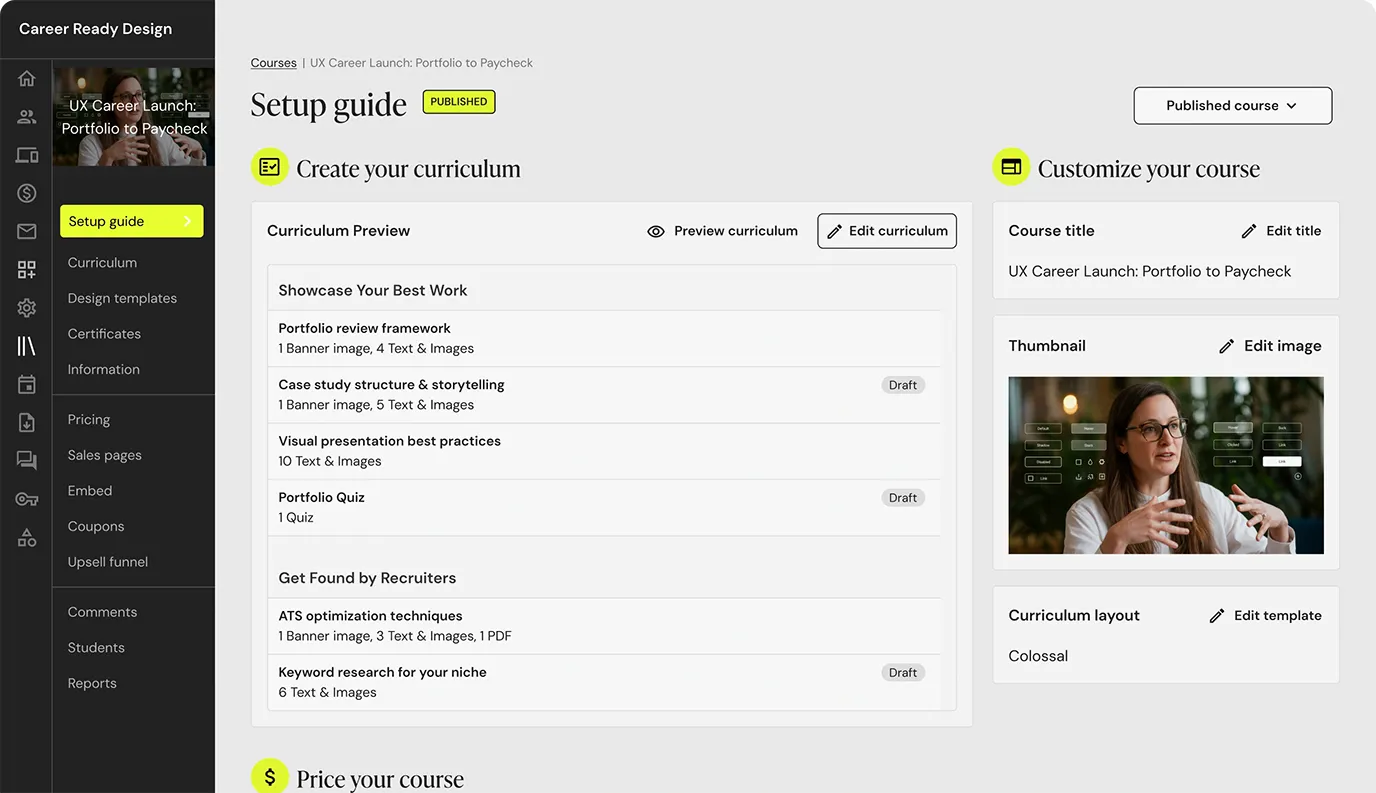 Teachable Online Course Platform — read review
Teachable Online Course Platform
Teachable is a hosted platform for selling online courses, coaching, memberships and digital downloads, with plans from $29 a month on yearly billing. Only the Starter plan charges Teachable's 7.5% transaction fee; custom domains and email marketing start on Builder.